Connie Stapleton
Post University
Instructor: Michael Mallery
EDU625 -INTEGRATING LEARNING & TECHNOLOGY
UNIT 1 ASSIGNMENT FORUM: VIDEO INTRODUCTION
PLE: Reflection
The video introduction assignment was very challenging for me. The first mistake I made was thinking this would be a simple task and that I would need little time to prepare. I initially used CapCut to prepare my video. I assumed the CapCut video tool would be easy because I have used it many times to create short video clips from pictures for birthday and anniversary posts. However, I never use the tool to create a video recording. My saving grace was my 14-year-old son, who used the tool regularly to edit TikTok and YouTube videos. I had to delete and re-record several times before finding a video suitable for submission. The next curveball in the process was finding a way to share the link. After several failed attempts, I decided to return to Canva’s graphic design tool. Although I was somewhat familiar with Canva from my previous experience in the first course, the submission deadline was approaching. I am not entirely satisfied with how my completed assignments turned out. I plan to explore a variety of other video tools to better prepare for future assignments. I will certainly not assume that an assignment will be simple unless I have carefully looked over all requirements.
Video Introduction/ Canva
UNIT 2 ASSIGNMENT FORUM: CREATING AND ADMINISTERING SURVEYS

PLE: Reflections
I initially chose Survey Monkey to create my survey after completing the unit’s reading materials. SurveyMonkey provides a variety of tools used for creating surveys. The variety of tool options made creating a survey easy.
SurveyMonkey provides tools to design surveys featuring:
- Pre-built templates
- 25 specialized question types
- AL- Powered creation
- Custom themes
- Logo, Colors, Front options
- Expert Feedback on survey quality
My survey is designed to gather feedback on students’ experiences with school lunch. It is a nine-question survey with multiple-choice questions and short-answer questions. I chose to create a survey on school lunch because this is an issue my son and his friend regularly complain about. Surveys were emailed out to my son’s friends, who attend school with him. I did not encounter any issues until I completed my survey. The option to share my survey with the respondent was not available through the free subscription plan. These issues did not deter me at first because I was willing to pay for a subscription plan, but not at the prices SurveyMonkey was charging. My son suggested I try Google Forms to create my survey. I was able to create my survey in Google Forms using the same questions as in SurveyMonkey. The creation process was simple. I was able to incorporate images and design my questions in the same format used on SurveyMonkey. Participants could easily access the survey link and respond. All in all, the creation process was easy. The issue was with the sending process and pricing of the initial platform used to create the survey. In future assignments, I will review pricing and available survey resources before deciding which site to use.
BELOW IS A LINK TO THE SCHOOL LUNCH SURVEY VIA GOOGLE FORMS
UNIT 2: PROJECT PLAN
Technology-based activity on Short Story Creation
In my technology-based activity, I will introduce students to the process of creating a short story. The intended audience includes middle school eighth-grade students enrolled in an ELA course. Students in this course have previously had a brief introduction to the writing process and persuasive writing. I will first use an interactive presentation to introduce the activity to my students, incorporating a YouTube instructional video into PowerPoint. The purpose of the materials is to provide instructional lessons on the story-creation process for ELA coursework and future course instruction. A post from The Learning Counsel (2024) discusses the importance of technology in enhancing the effectiveness of instructional materials. When you provide a variety of learning materials, such as hands-on activities and digital tools, in instructional lessons, it can improve information retention and engage diverse learning styles. Besides fostering engagement, supplemental resources play a crucial role in differentiation and personalization (2024). Supplemental learning materials provide necessary accommodations and modifications to ensure that all students can engage meaningfully with the curriculum.
My project will include 7 subtopics on the process of creating short stories.
- Generating and Developing Ideas
- Creating compelling characters
- Outlining the Plot
- Writing the first Draft
- Revise and Edit
- Gathering Feedback
- Final Submission
Below you will find an overview of what will be discussed in each subtopic:
Generating and Developing Ideas: During this process, students will research ideas to write on, starting with a general idea or memory.
2. Creating Compelling Characters: In this process, students will develop their characters for their story.
3. Outlining the Plot: Students will outline the plot of their story by using the three-act structure.
- Act 1: Introduction (Exposition)
- Act 2: Confrontation (Rising Action)
- Act 3: Resolution (Climax/Ending)
4. Writing the First Draft: Students will write their first draft during this process. The focus is on getting the story down from beginning to end, with less emphasis on editing while writing.
5. Revise and Edit: Student will learn how to eliminate scenes from their story and change wording that does not advance the plot.
6. Gathering Feedback: The student will gather feedback from classmates to find plot holes, confusing parts, and weak characterization.
7. Final Submission: A final recheck is performed before submitting each student’s completed work. Students’ completed work will be placed in the classroom library for their classmates to read and remain for future instructional lessons on short story creation.
Course Objectives
- Upon completion of all instructional lessons, the student will have knowledge of how to begin the steps in creating a short story, such as revising and editing, gathering feedback, and outlining the plot.
- Upon completion of all instructional lessons, the student will be equipped with information on other technology-based tools to assist in the story creation process.
- Upon completion of all instructional lessons, the students will have successfully completed their first short story creations and shown proficiency in the subject area.
References
Kolb, L. (2024, September 5). 7 Research Findings about Technology and Education. Edutopia. http://www.edutopia.org/article/research-effectiveness-technology-learning
Rougeuz, L. (2024, September 16). Why Supplemental Educational Resources are Critical to Educational Success. The Learning Counsel. http://thelearningcounsel.com/article/why-supplemental-educational-resources-are-critical-to-educational-success
UNIIT 3 ASSIGNMENT FORUM: MIND MAPPING DATA
PLE: Reflections
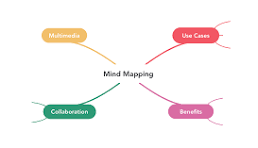
I created my own mind-mapping visual data organization using Microsoft Word. Simple symbols were used to display the data. I investigated different mind-mapping tools online, but most were hard to understand, and the creation process was confusing. At first, I did not know where to begin in this assignment, and it seemed challenging. I am satisfied with my decision to create my own visual organization because it has made the process a lot easier. I created a mind map using information gained from my school lunch survey. Online data collection tools can be used in learning activities as a means of visual representation to information taught within an instructional lesson. It relates to Bloom’s Digital Taxonomy whereas it integrates technology to transform learning. My survey was created to gather feedback from middle school students about their school lunch.
Below is the list of questions on my survey
- On a scale of 1-5, how likely would you rate the taste of the school lunch? 60 percent were neither satisfied nor dissatisfied. 20 percent of students were very satisfied, and 20 percent were satisfied.
- Do you have enough time to finish your lunch? 60 percent of students said they did not have enough time to eat, while 40 percent said they did.
- How often do you discard the entire lunch because of a lack of quality, taste, and healthy options? 80 percent said they discard their lunch once a week. 20 percent said they discarded their lunch two or more times a week.
- Do you have enough healthy food options included in your lunch? 60 percent said they had enough healthy food options, while 40 percent said they did not.
- Do you feel that the lack of a healthy lunch contributes to a student’s performance in school? 60 percent said that a lack of a healthy lunch contributes to their school performance, while 40 percent said it does not.
- Which choice of food options would you like to see included in your daily lunch menu? Choices include a variety of drinks, desserts, and a salad bar. 60 percent of students said they would like the choice of a variety of drink options. 20 percent said dessert options, and 20 percent said they would like a salad bar option.
- Does your school offer outlets for students to express their concerns about school lunch options? 80 percent answered yes, and 20 percent said no.
- What is one change you would make to the school lunch? Answers included seasoning, better main courses, and drink options other than milk and water.
UNIT 4 ASSIGNMENT FORUM: PRESENTATIONS
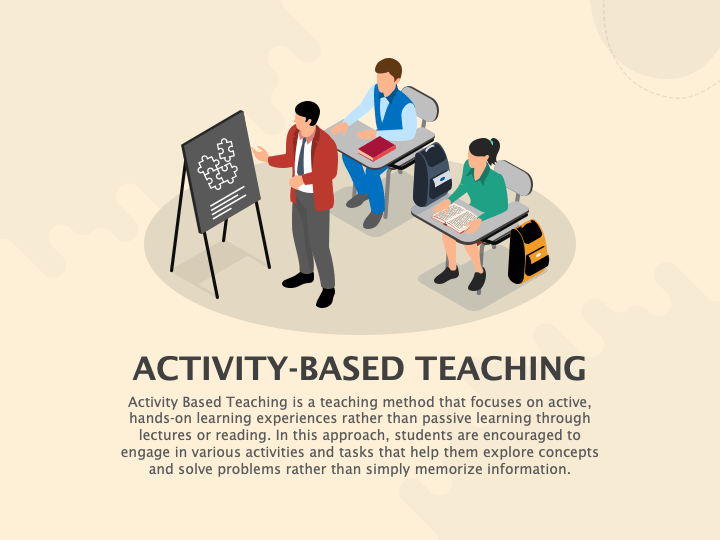
Creating the interactive presentation-based learning activity was relatively easy. The main challenge was time management. I decided early on to complete my learning activity with PowerPoint. I know that there are other tools available, but PowerPoint was what I am most familiar with. A PowerPoint presentation is a versatile platform for creating presentations with tools such as slide layouts, text formatting, multimedia insertion, SmartArt graphics, and custom animation.
In my interactive presentation, I will introduce students in an ELA course to the process of creating a short story. My learning activity includes 7 subtopics in developing a short story. The subtopics are listed below.
- Generate and Develop Ideas
- Creating compelling characters
- Outlining the plot
- Writing the first draft
- Revise and edit
- Gather feedback
- Final polish and submission
I chose the subtopic of creating compelling characters and gathering feedback to incorporate an interactive learning activity for students. In creating compelling characters, students were asked to choose a character listed within the slide and write down five things that came to mind. The activity was aimed at showing students how to use their imagination and memories to create characters for their story. I incorporated a collaborative activity in the feedback-gathering section, where students submitted a copy of the draft anonymously to the discussion board for classmates to read and provide feedback. All in all, preparing the presentation was easy. Time management was a major issue, especially during the holidays, when making time for non-school-related activities was difficult. Another challenge was including the voice-over within my presentation. I found it challenging to create a balance in my voice between the slide transitions. This is an issue I will continue to work on improving in future presentations. Although PowerPoint is the tool I’m most comfortable with for creating presentations, I will explore other presentation tools in future assignments.
Link to interactive presentation-based activity
https://1drv.ms/p/c/6fb2b4b2d626adfa/IQD0qLLlXufISrGfyqbwjCBEAVPSWbaTiCsx6FLYnWb8cgo?e=q5uMbu
Unit 5 Assignment Forum: Creating Learning Games and Interactive Tasks
PLE: Reflection
- What challenges and successes did you encounter?
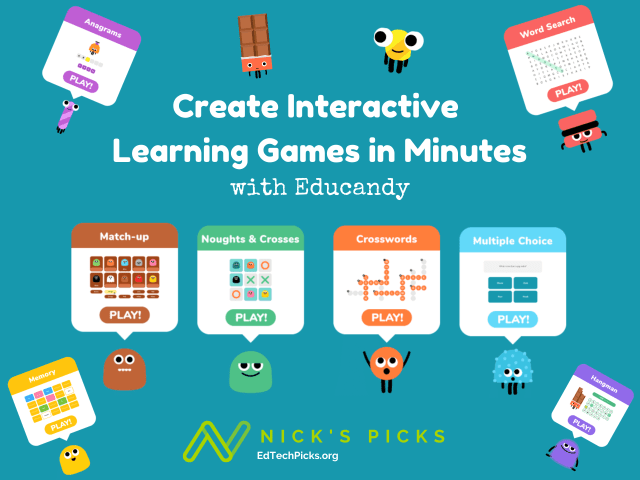
The main challenge I faced while creating a learning game was integrating it into my PowerPoint slides. I created an interactive lesson on hyperbole for 6th-grade ELA Students. The lesson consists of three slides, including an instructional YouTube video on Hyperbole.
- What might you do differently next time?
The main correction I will make in future assignments will be to make sure the game platform used can be incorporated into the presentation tool. I will also explore other gaming platforms to have more options.
- Where does the game you created fall on the SAMR model?
The game I created would fall under the substitution level in the SAMAR model. Substitution is the lowest level of technological integration. Technology acts as a direct substitute, with no functional change.
- How does the concept of gamification relate to the TPACK framework?
TPACK is an educational model that identifies the knowledge teachers need to integrate technology effectively into their teaching. Gamification aligns with the TPACK framework as a cutting-edge pedagogical strategy that leverages digital technology to enhance the teaching of specific content.
YouTube Video on Hyperbole
EduCandy Interactive game on Hyperbole
https://www.educandy.com/site/resource.php?activity-code=1487a9
https://www.educandy.com/site/resource.php?activity-code=1487e9

 Site Title
Leave a comment